Contact
Line : comsiam
Contact
Line : comsiam


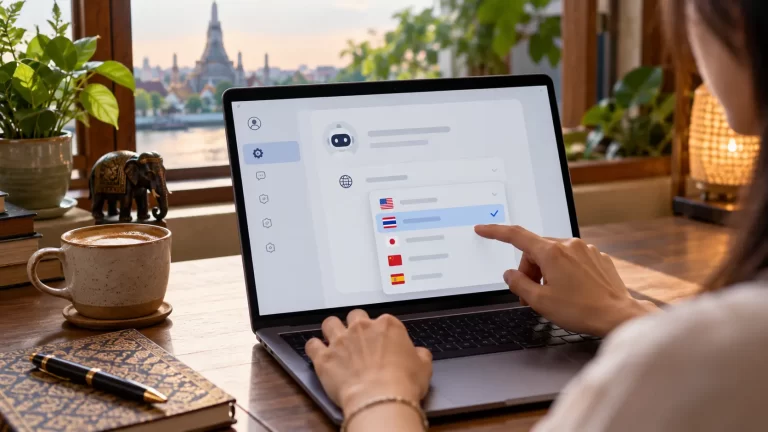
คุณสามารถเขียนคำสั่งเป็นภาษาอังกฤษ แต่กำหนดให้ Claude AI ตอบเป็นภาษาไทยได้ โดยระบุภาษาของคำตอบให้ชัดเจนใน Prompt วิธีนี้มีประโยชน์เมื่อคุณมีคำสั่งหรือศัพท์เทคนิคเป็นภาษาอังกฤษ แต่ต้องการนำคำตอบไปใช้กับผู้อ่านภาษาไทย
บทความนี้อธิบายวิธีระบุภาษา น้ำเสียง และการใช้ศัพท์เฉพาะ พร้อมตัวอย่าง Prompt ที่คัดลอกไปปรับใช้ได้
อย่าหวังให้ Claude เดาภาษาจากภาษาที่ใช้ถาม ให้เขียนกำกับโดยตรง เช่น
Answer in Thai.
Write naturally for Thai readers.
Keep technical terms in English and explain them in Thai when necessary.
หากต้องการภาษาไทยทั้งหมด ให้กำชับว่าอย่าเปลี่ยนภาษา ยกเว้นชื่อเฉพาะหรือศัพท์ที่จำเป็น
Please [describe the task] about [topic].
Write the answer in natural Thai for [target audience].
Use [tone and format].
Keep technical terms in English when appropriate and explain them in Thai.
Use only the information provided. If anything is unclear or missing, ask me before answering.Context: [add context]
Requirements: [list requirements]
Source material: [paste text]
สูตรนี้แยกคำสั่งภาษาอังกฤษออกจากข้อกำหนดภาษาและรูปแบบคำตอบ ทำให้ระบุได้ชัดว่าต้องการอ่านและนำผลลัพธ์ไปใช้เป็นภาษาใด
Summarize the text below in Thai for general readers.
Start with three key points, then explain the details in short sections.
Do not add information that is not included in the source text.Text: [paste the text here]
Write a practical guide about [topic] in natural Thai.
The target audience is beginners. Use clear headings, short paragraphs, and step-by-step instructions.
Keep product names and essential technical terms in English, with a short Thai explanation on first use.
Do not invent facts, prices, or statistics.
Translate the following instructions into Thai.
Keep product names, menu labels, and technical terms in English. Explain each term briefly in Thai when needed.
Preserve all numbers, warnings, and conditions exactly.Text: [paste the text here]
คำว่า “ตอบเป็นภาษาไทย” ยังไม่บอกว่าจะใช้สำนวนแบบใด หากสำคัญ ให้เพิ่มรายละเอียด เช่น
ตัวอย่าง:
Write the answer in simple, natural Thai. Keep the interface labels in English exactly as shown in the source, then explain each step in Thai.
ถ้าคำสั่งเป็นภาษาอังกฤษแต่เอกสารเป็นภาษาไทย หรือกลับกัน ให้ระบุว่า Claude ควรตอบจากข้อมูลใดและใช้ภาษาอะไร เช่น
Use the attached English document as the source. Explain its key points in Thai. Keep the original English terms in parentheses after their Thai explanations. If the document does not contain an answer, say so in Thai.
วิธีนี้ช่วยแยกภาษาของแหล่งข้อมูลออกจากภาษาของคำตอบ
ย้ำข้อกำหนดให้ตรงและขอให้แปลเฉพาะคำตอบล่าสุด เช่น
Please rewrite your previous answer entirely in natural Thai. Keep only product names and essential technical terms in English. Do not change the meaning or add new information.
หากมีคำศัพท์อังกฤษจำนวนมาก อาจขอให้ Claude ทำอภิธานศัพท์สั้น ๆ เพิ่มท้ายคำตอบได้
หลังได้คำตอบ ให้ตรวจว่า Claude ใช้ภาษาไทยเป็นหลักหรือไม่ ศัพท์เทคนิคถูกคงหรืออธิบายตามต้องการหรือเปล่า และมีชื่อเฉพาะ ตัวเลข หรือเงื่อนไขที่เปลี่ยนจากต้นฉบับหรือไม่
ComSiam แนะนำให้ตรวจคำแปลของชื่อเมนูและคำสั่งในโปรแกรมกับหน้าจอจริง เพราะบางคำควรคงเป็นภาษาอังกฤษเพื่อให้ผู้อ่านค้นหาตามได้สะดวก
หากเขียน Prompt ภาษาอังกฤษแต่ต้องการคำตอบภาษาไทย ให้ระบุ “Answer in Thai” หรือ “Write in natural Thai” อย่างชัดเจน พร้อมกำหนดกลุ่มผู้อ่าน น้ำเสียง รูปแบบ และวิธีจัดการศัพท์เฉพาะ หากใช้เอกสารคนละภาษา ให้บอกด้วยว่าแหล่งข้อมูลคืออะไรและให้ตอบเป็นภาษาใด
คำสั่งนี้ช่วยระบุภาษาที่ต้องการ แต่ควรตรวจคำตอบ หากยังมีส่วนภาษาอังกฤษที่ไม่ต้องการ ให้สั่งปรับใหม่เป็นภาษาไทยโดยคงเฉพาะชื่อเฉพาะและศัพท์จำเป็น
ขึ้นอยู่กับผู้อ่านและการใช้งาน บางคำควรคงภาษาอังกฤษไว้เพื่อให้ตรงกับชื่อเมนูหรือคำที่ใช้ค้นหา แล้วอธิบายความหมายเป็นภาษาไทย
เหมาะเมื่อคำสั่งหรือเอกสารต้นทางเป็นภาษาอังกฤษ แต่ต้องการสรุป คู่มือ หรือเนื้อหาสำหรับผู้อ่านไทย
ระบุรูปแบบให้ชัด เช่น “แสดงภาษาอังกฤษก่อน แล้วตามด้วยคำแปลภาษาไทยในบรรทัดถัดไป” และกำหนดว่าต้องการแปลทุกประโยคหรือเฉพาะประเด็นสำคัญ
บทความถัดไป: ให้ Claude ช่วยปรับ Prompt ที่เขียนไม่ชัด ให้สั่งงานง่ายขึ้น